About the Add Cute Dimples to Your Smile effect
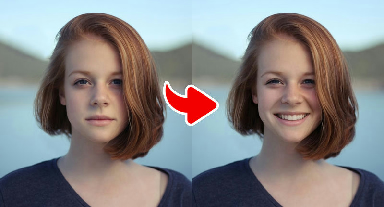
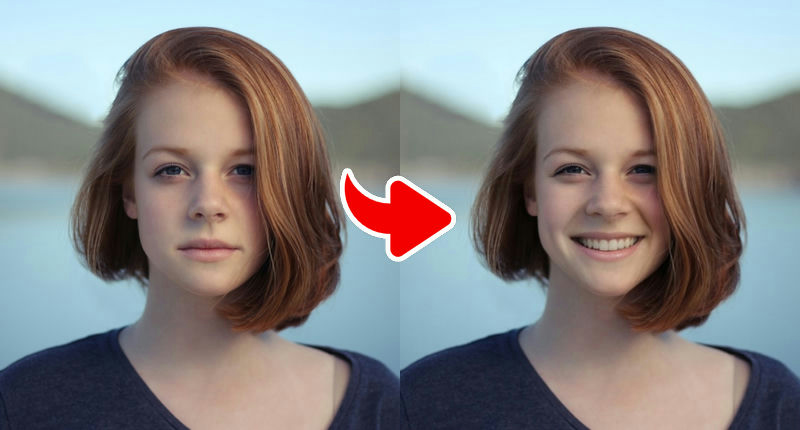
Add Cute Dimples gives your smile a sweet detail that many people love: small, natural-looking dimples on the cheeks. The effect also brightens the expression into a soft smile so the dimples appear where they naturally would, instead of being drawn on top of a neutral face.
It is a subtle, realistic edit and works best on clear, front-facing portraits with even lighting on both cheeks. If your photo has strong side lighting, one dimple may look deeper than the other.
What the effect does
- Natural-looking cheek dimples
- Soft smile that matches the dimple placement
- Realistic, subtle edit
How to use it
- Press Play now at the top of this page.
- Choose a clear, front-facing photo from your device. No account is needed.
- Wait a few seconds while the AI creates your image.
- Download the result or share it. Not happy? Try again with another photo.
Tips for the best result
- Even lighting on both cheeks gives symmetrical dimples.
- Face the camera directly — angled faces can hide one dimple.
- Keep hair away from your cheeks.
- Front-facing portraits with even light on both sides of the face give the most natural edits.
- Make sure your mouth and eyes are fully visible for expression effects.
More advice in our guide: how to take the perfect photo for AI effects.
Ideas for your result
- See how you would look with dimples before a photo shoot.
- Share a playful 'new me' post with friends.
- Combine it with the Dreamy filter for a soft, sweet portrait.
Your photo and your privacy. Your photo is used only to
create this effect, is never sold or used for advertising, and is deleted
after 30 days. Please only use photos of yourself or of people who
agreed. Results are AI-generated for entertainment and are not real
photographs. Privacy Policy ·
Responsible use
Frequently asked questions
- Will the filters change my photo's background?
- Expression edits mostly leave the background alone. Mood filters such as Dreamy and Exotic adjust the color and light of the entire image, including the background.
- Can I use the edited photo for official documents?
- No. All Gag Pie results are entertainment edits and must not be used for passports, IDs or any situation where your real appearance is required.
- Why didn't the smile effect work on my photo?
- The most common reasons are a hidden mouth (hands, food, microphone), a strong side angle or very low light. Try a clear, front-facing photo.
- Is Gag Pie free?
- Yes. All effects are free to use. The site is supported by advertising shown on content pages.
- Do I need an account?
- No account or login is needed. You choose a photo, wait a few seconds and download or share the result.
- What happens to my photo?
- Your photo is sent over an encrypted connection to our image-processing service (and the AI provider it uses) only to create the effect. We do not sell your photos or use them for advertising, and uploaded images are deleted after 30 days. See our Privacy Policy for details.